Capture now.
Think later.
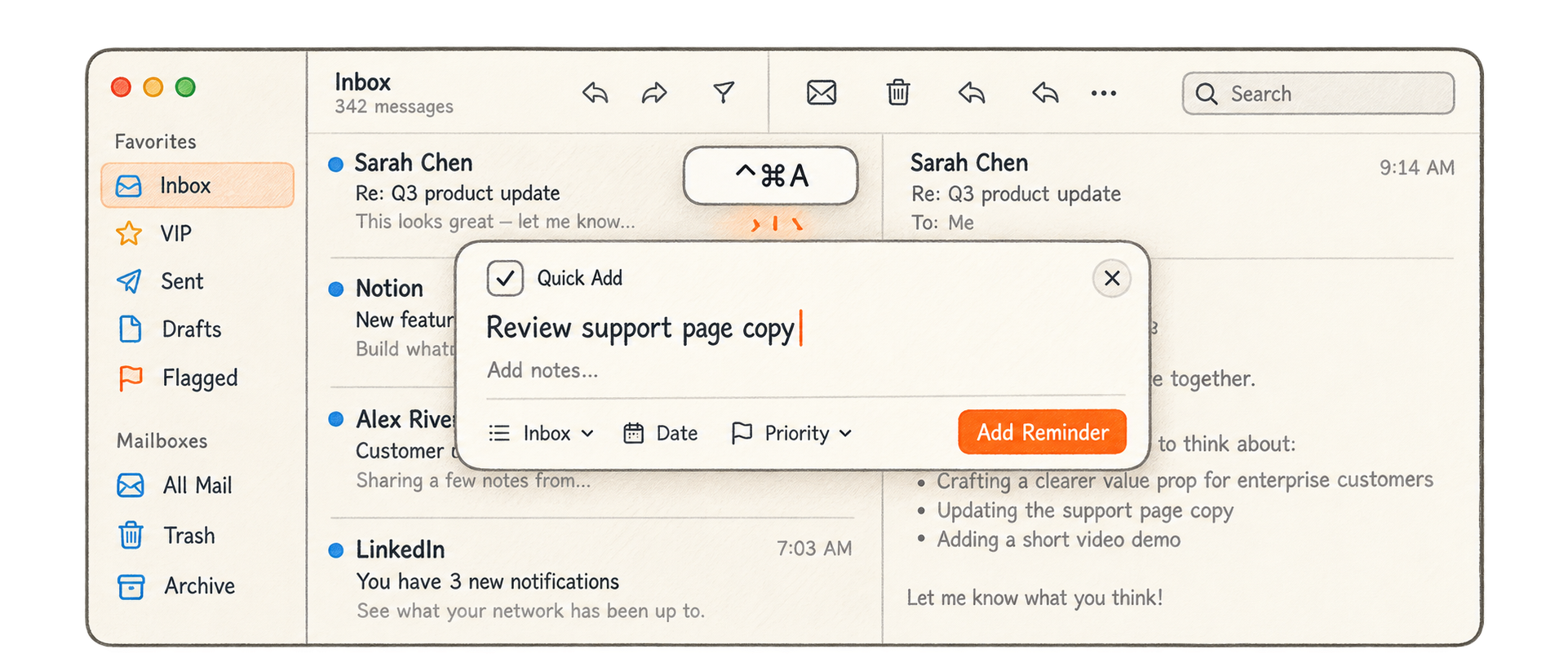
Press ⌃⌘A anywhere on your Mac. Type a task. Hit Enter. Carry on.
“I'll remember” is for amateurs.
We hope they it soon.
Apple built Reminders and Calendar.
We just got tired of waiting for them to work together the way we wanted.
So we made Doit Then.
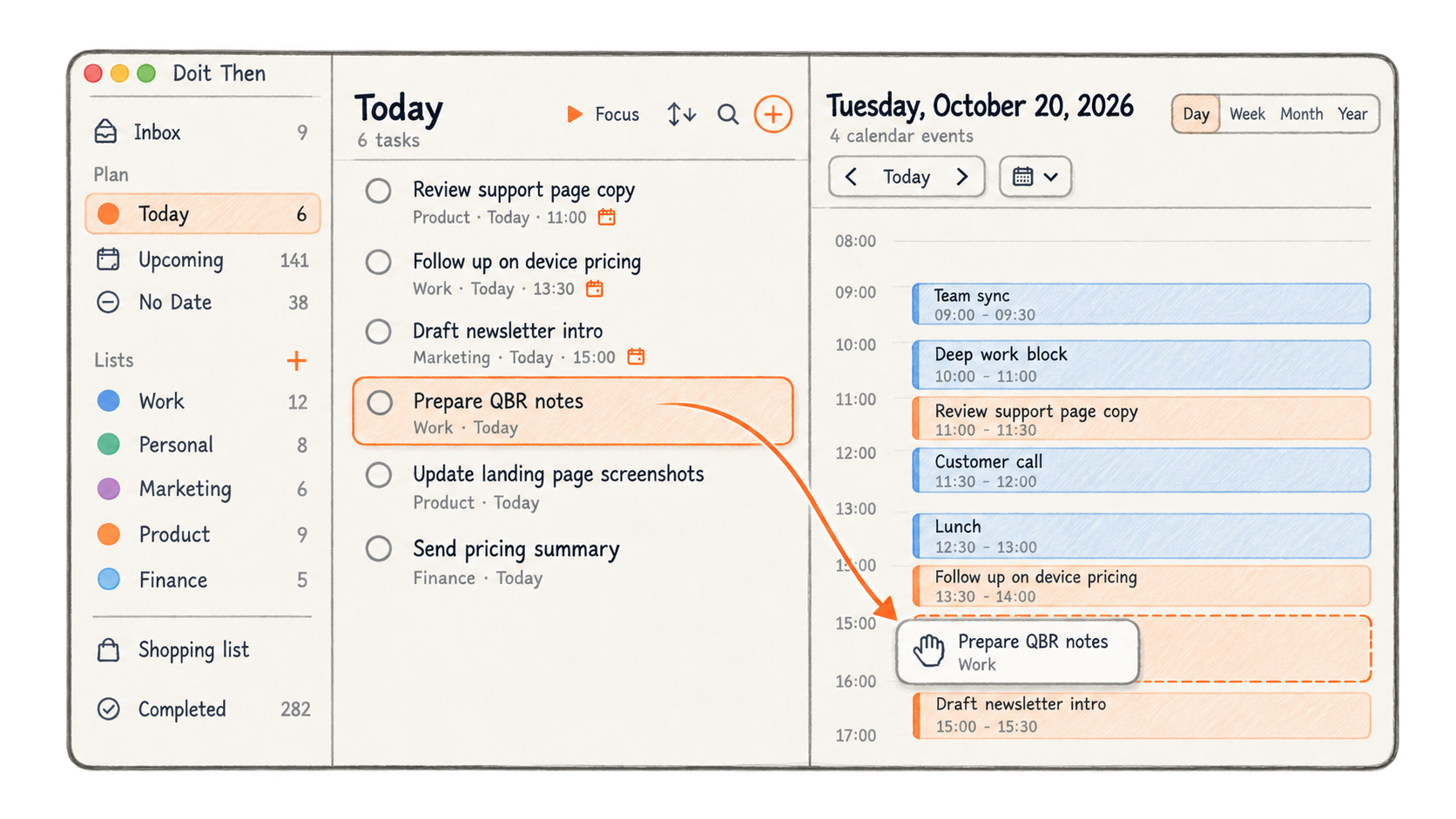
Your Reminders beside your calendar. Drag a task into a free slot and decide how much time to give it.
Press ⌃⌘A anywhere on your Mac. Type a task. Hit Enter. Carry on.
“I'll remember” is for amateurs.
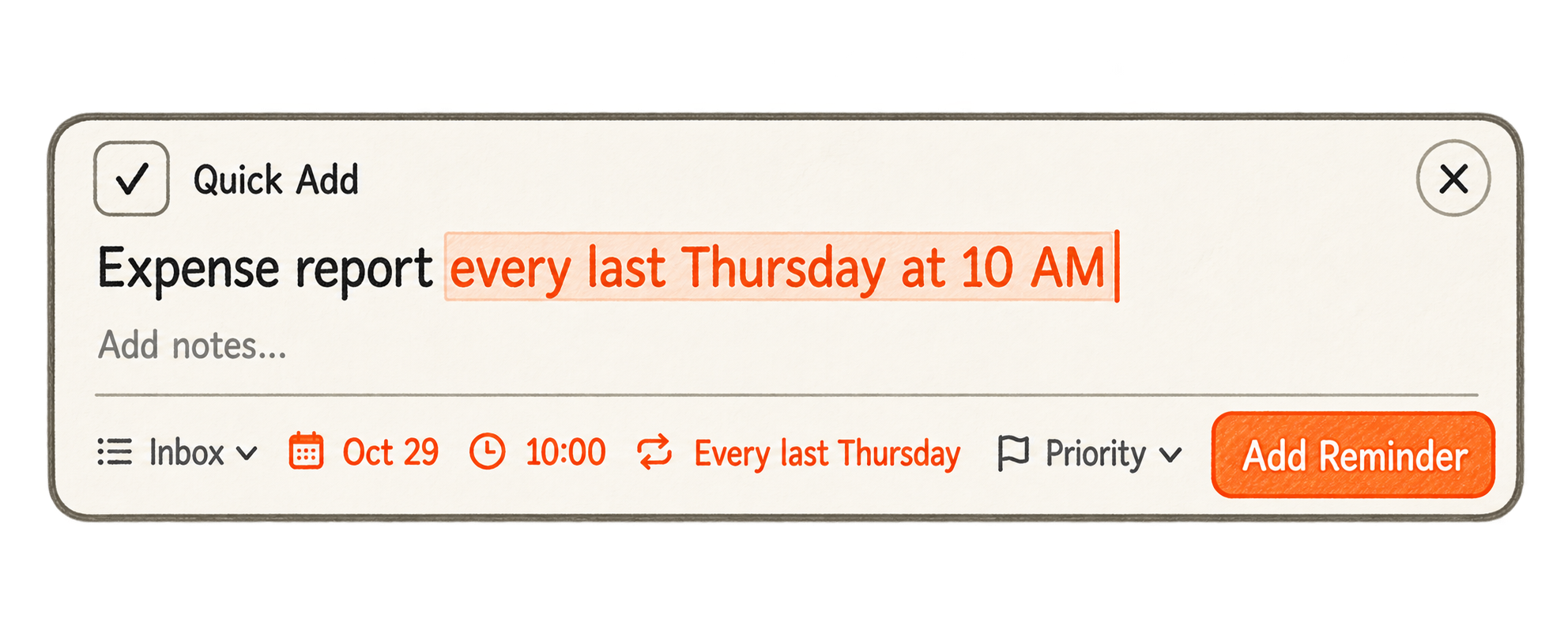
“Submit expense report on the last Thursday of every month at 10 AM.”
ENOUGH DOODLES. HERE'S THE APP.
FREE CHROME EXTENSION
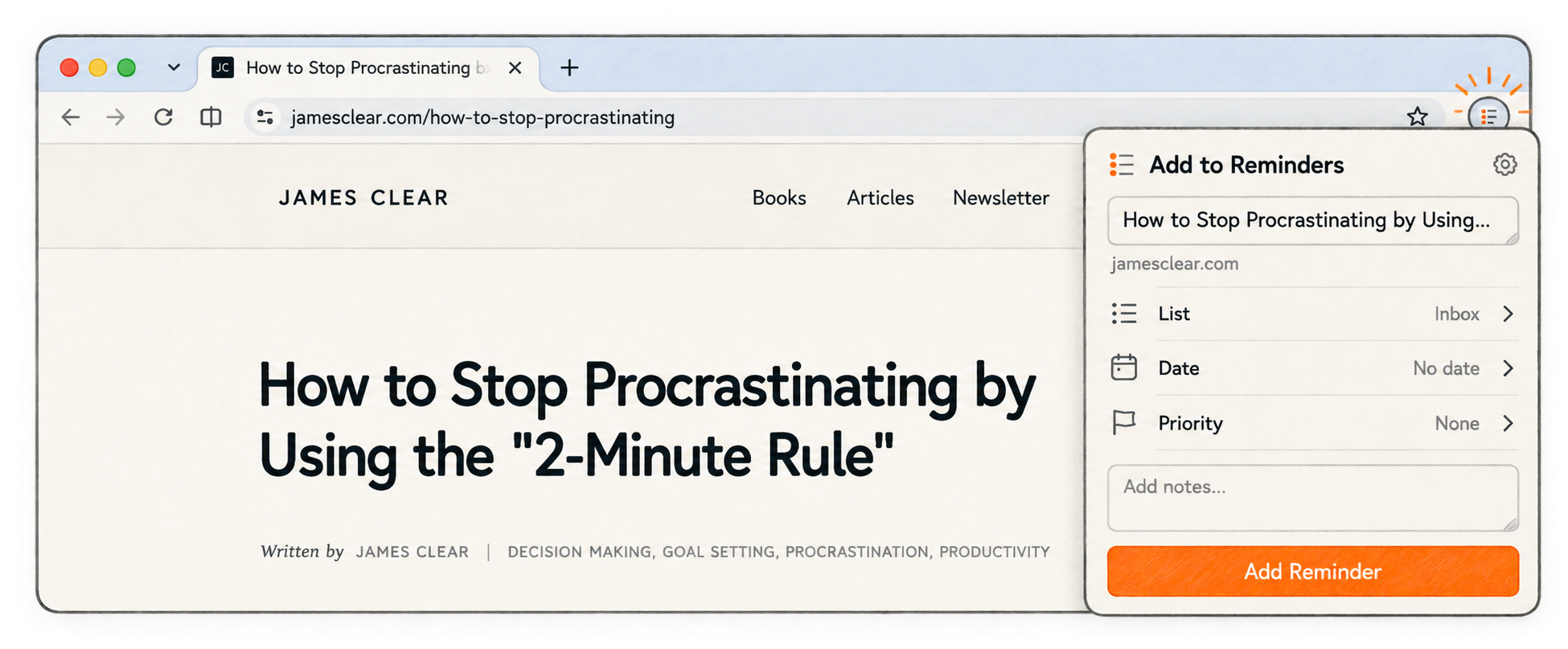
Save a page or selected text straight to Apple Reminders. Pick a list, add a date, and keep the original link.
Close the tab for once.
Works with Apple Reminders, even without Doit Then.
Try typing “fri 3pm” when saving a page. If you like creating reminders this way, Doit Then lets you do it anywhere on your Mac.
Ask Siri to add a task to Apple Reminders or an event to Apple Calendar. Both show up in Doit Then.
Apple Reminders knows what you need to do. Apple Calendar knows when you're busy.
For some reason, Apple keeps them in separate apps.
Doit Then puts them together. Drag a reminder onto your calendar, pick a time, and you're done.
It's what Apple should have built.
Although we should be grateful they didn't make separate apps for day, week, month, and year.
No, but free sipping and free returns.
Pay $5. Try it. Don't like it?
We'll take the app in ANY condition, for ANY reason.
You get your $5 refunded. You can keep the app, but it won't work once we revoke the license.
Unless your reason for returning it is so hilarious we let you keep the license too.
We reserve the right to ask you to upload the app to us. No restocking fee on your first return.
Nope. It uses both.
Your tasks stay in Apple Reminders. Your events stay in Apple Calendar. Doit Then shows you both, so you can see when you're busy and where your tasks might fit.
You can still use Apple's apps as usual.
You choose the time. Drag a reminder onto your schedule, and Doit Then updates its time in Apple Reminders.
Move it, resize it, or remove it from your schedule. The task stays in Reminders, and no extra Apple Calendar event is created.
Yep. It's a little window you can open from anywhere on your Mac.
Hit ⌃⌘A, type your reminder, and get back to whatever you were doing. No need to switch to Doit Then.
Don't like the shortcut? Pick your own in Settings.
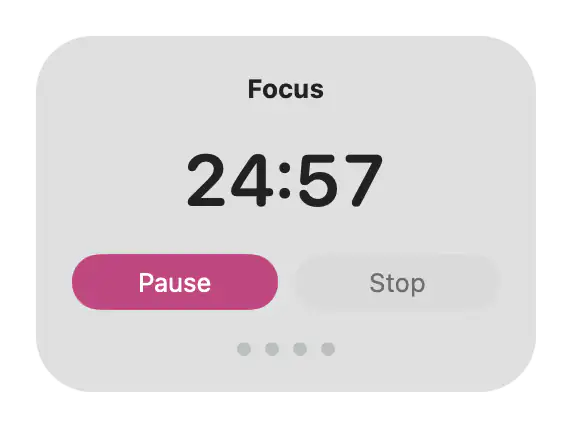
A built-in Pomodoro timer. 25 minutes of work, then a break. That's the default, not a rule.
Change the intervals in Settings. The countdown lives in your Mac's menu bar.
Your reminders and calendar events will. They'll keep syncing through Apple, just like before.
Isn't it beautiful?
Doit Then is Mac-only. On purpose. Imagine dragging reminders around a calendar with your thumbs.
You've got Siri for that.
Then you stop using Doit Then.
Your reminders stay in Apple Reminders. Your events stay in Apple Calendar.
If we're lucky, we get to keep your $5.
We can't hold your stuff hostage. It's not ours.
Any compatible Mac running macOS Sonoma (14) or later.
You'll need to give Doit Then access to Apple Reminders and Calendar. Otherwise, there's not much for it to do.
Get it running on Windows, and we'll give you your $5 back. You clearly earned it.
There isn't one. It's $5. Ticketmaster would call that a processing fee.
We wanted to make it free, but Apple wants $99 a year just to let us distribute it properly. Welcome to the real world, Neo.
We considered charging $50 and splitting the bill with you. Then we figured you might have 19 friends. Hopefully.
So, five bucks each. No pressure!!!!
Pay once, get updates through the app. No subscription.
We might charge for a major new version someday, but I doubt it. I'm hoping Apple wakes up and steals the idea first.
Either way, the version you bought is yours to keep.
"It shows all my unfinished tasks."
"I scheduled 'get my shit together' for Monday at 9 AM. Moved it to Thursday. Then December. The app handled it beautifully."
"Bought it because Apple didn't make it."
“Five dollars for software that lets me move my problems around. My therapist charges $180 an hour to tell me to stop.”
“To do or not to do. That is the question. Why is it on my calendar?”
"What if I told you that you cannot escape the system?
You can only drag it to Thursday.
I have been dragging it to Thursday since 1999."
"The app works exactly as advertised. I'd like to speak to whoever thought that was a good idea."
"I started using Doit Then to organize my chemistry lessons.
Then I started a small business.
Things escalated.
I now manage production, distribution, logistics, payroll, and a rather complicated relationship with my business partner.
Everything is on schedule.
My lawyer says I should delete the app."
 Apple
 Tesla
 Google
 Meta
 Microsoft
 NVIDIA
 Netflix
 OpenAI
Not customers. Not partners. No affiliation or endorsement.
Your tasks stay in Reminders. Your events stay in Calendar. Changes sync both ways.
Get Doit Then - $5Already bought it? Download again
Or go ahead and vibe-code your own. Build it for under $500 and we'll give you a free license.
No trial. You can have your $5 back.
Ask for a full refund. Any reason.
We reserve the right to ask why. No promises about hard feelings.
Sherlocking is when Apple builds features like ours into macOS, giving people less reason to buy the original app.
In 2001, developer Dan Wood released Watson, a $29 Mac app for checking stocks, finding movie times, and more.
A year later, Apple added many similar features to an app included with Mac OS X.
That app was called Sherlock.
