★★★★★
“For the first time, my research and my argument are visible side by side. The absence of a meaningful relationship between them is now impossible to ignore.”
DRAFTAVA / MACOS
Meet Draftava. A Markdown editor with a shelf for all the ideas, notes, links, and images you might need.
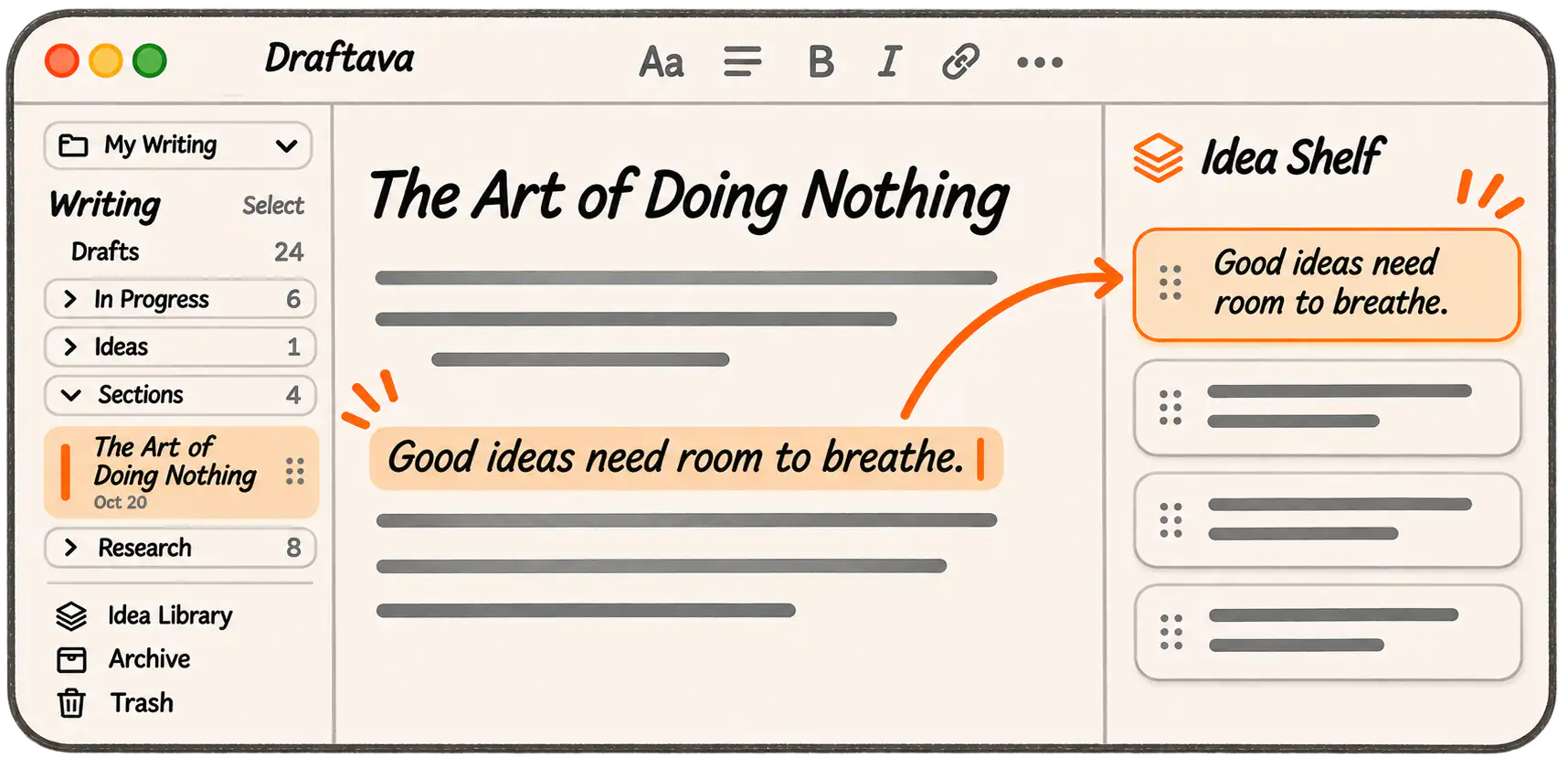
Keep them beside your writing. Drag in the good ones when they're ready.
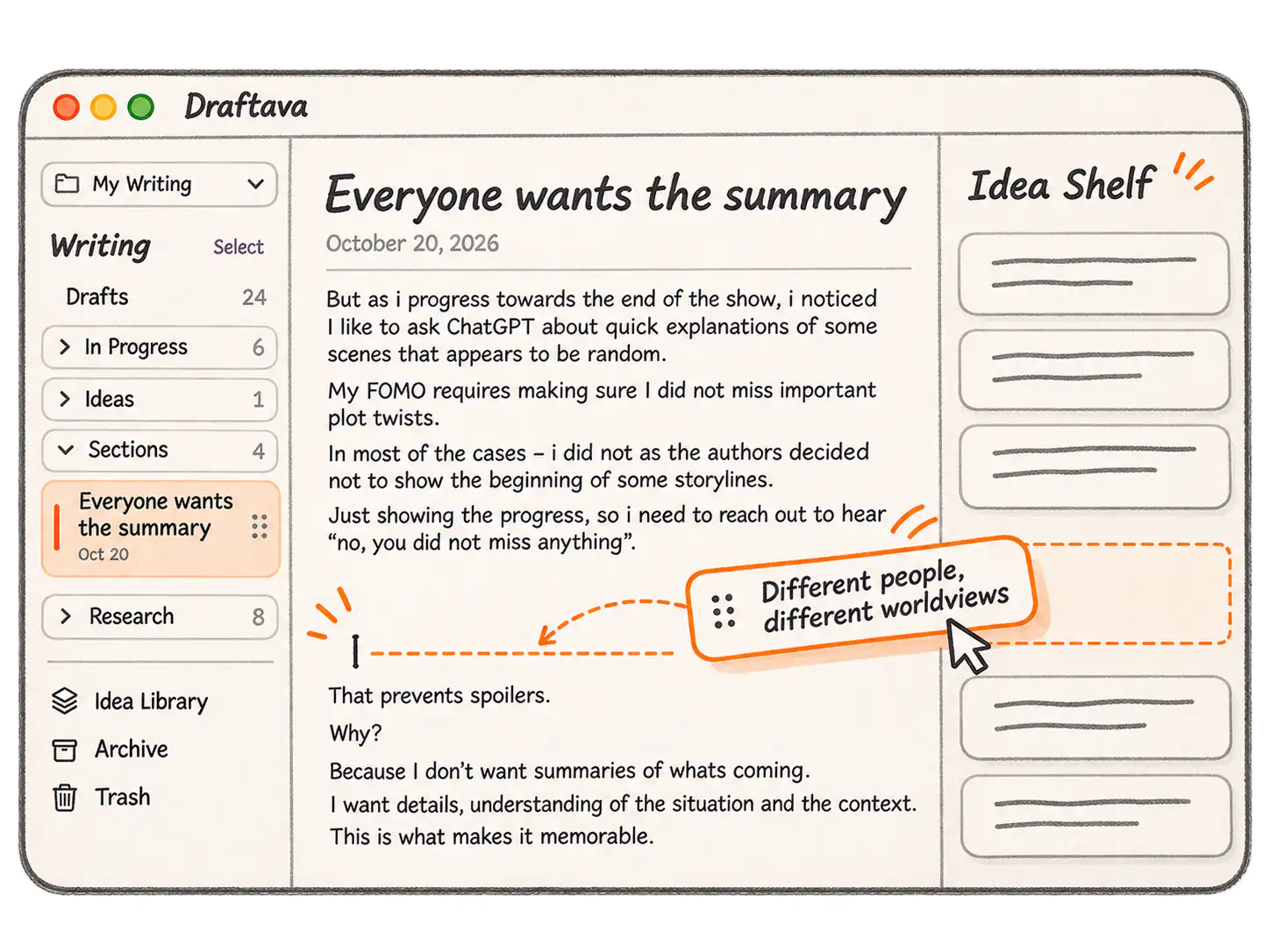
That sentence you like but can't find a place for? Turn it into an idea card.
Have an idea that finally belongs in your draft? Drag it back in.
Move it, copy it, rearrange it. You don't have to decide where everything belongs before you start writing.
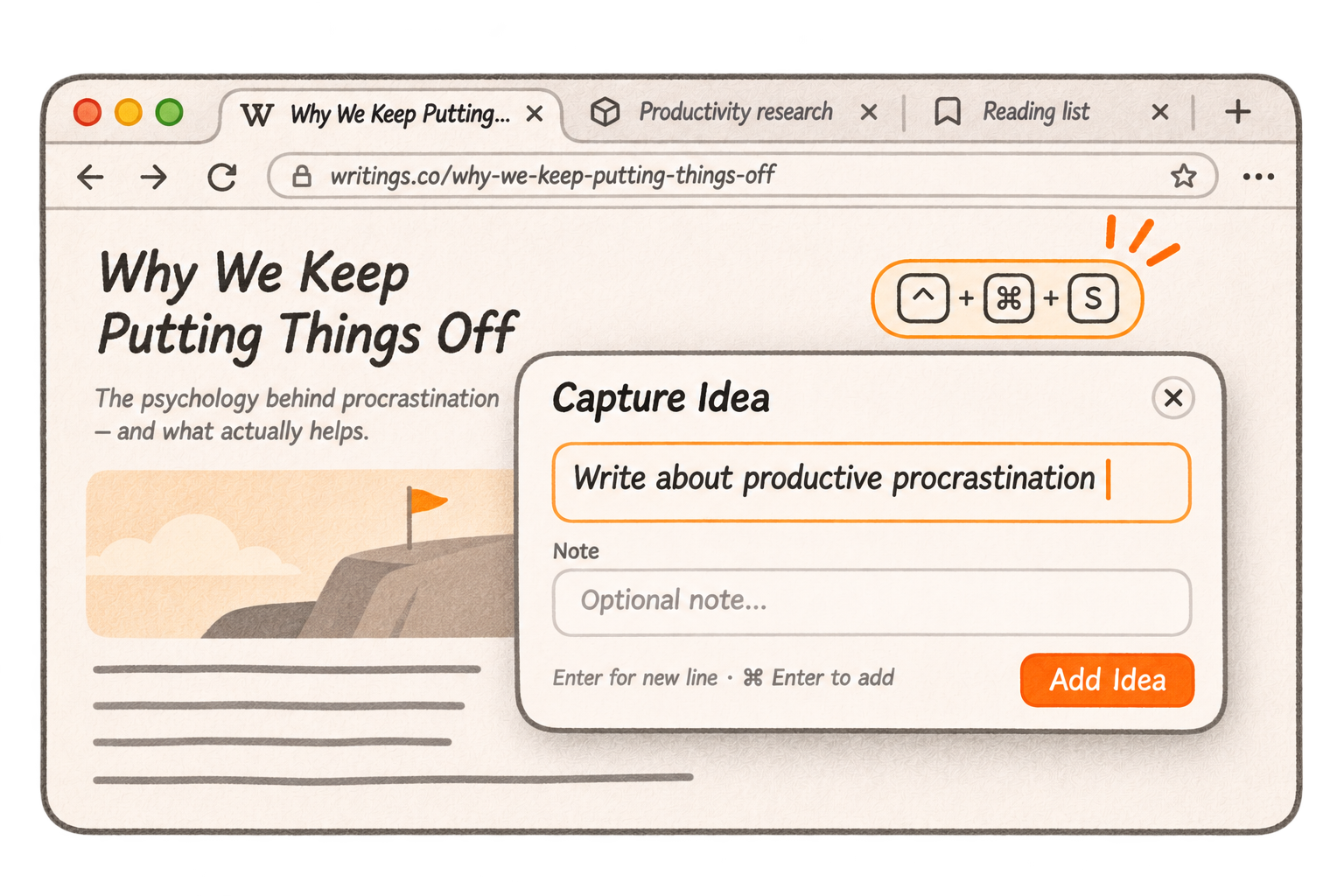
You're halfway through an email when you think of something worth writing down.
Use a keyboard shortcut to capture it from anywhere on your Mac. It goes into your Idea Library, ready for later.
Now get back to that email. You were doing so well.
You know that ridiculously satisfying mechanical-keyboard sound? You can have it in Draftava, even on a MacBook keyboard.
Choose Tactile, Linear, or Clicky. Set the volume, or mute it.
It won't write the next sentence. But it might make you want to.
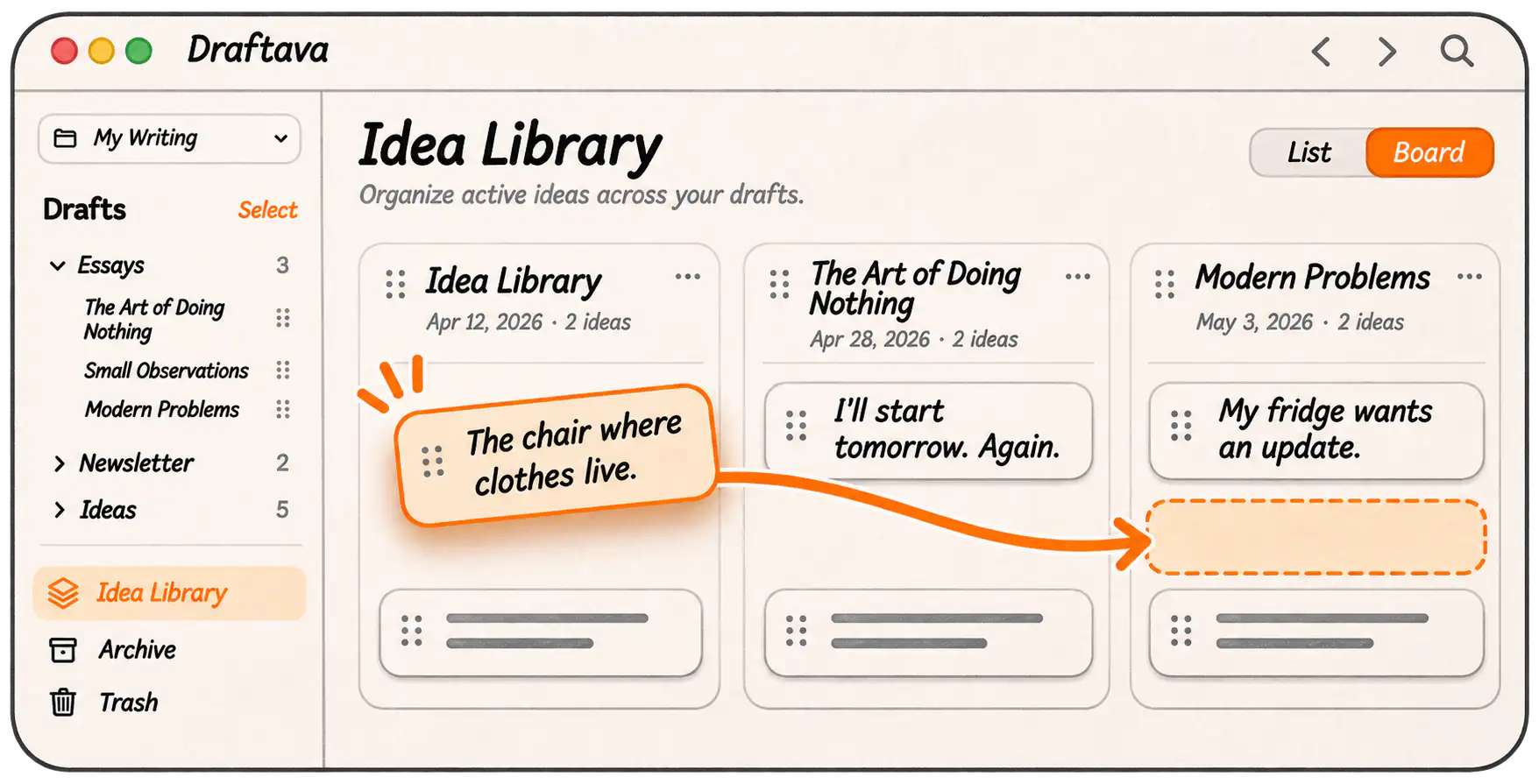
Keep ideas attached to a draft, or leave them in your library until you know what to do with them.
Switch to the board to see ideas across your drafts. Move them around, rearrange them, or put the used ones away.
There's room for a little chaos.
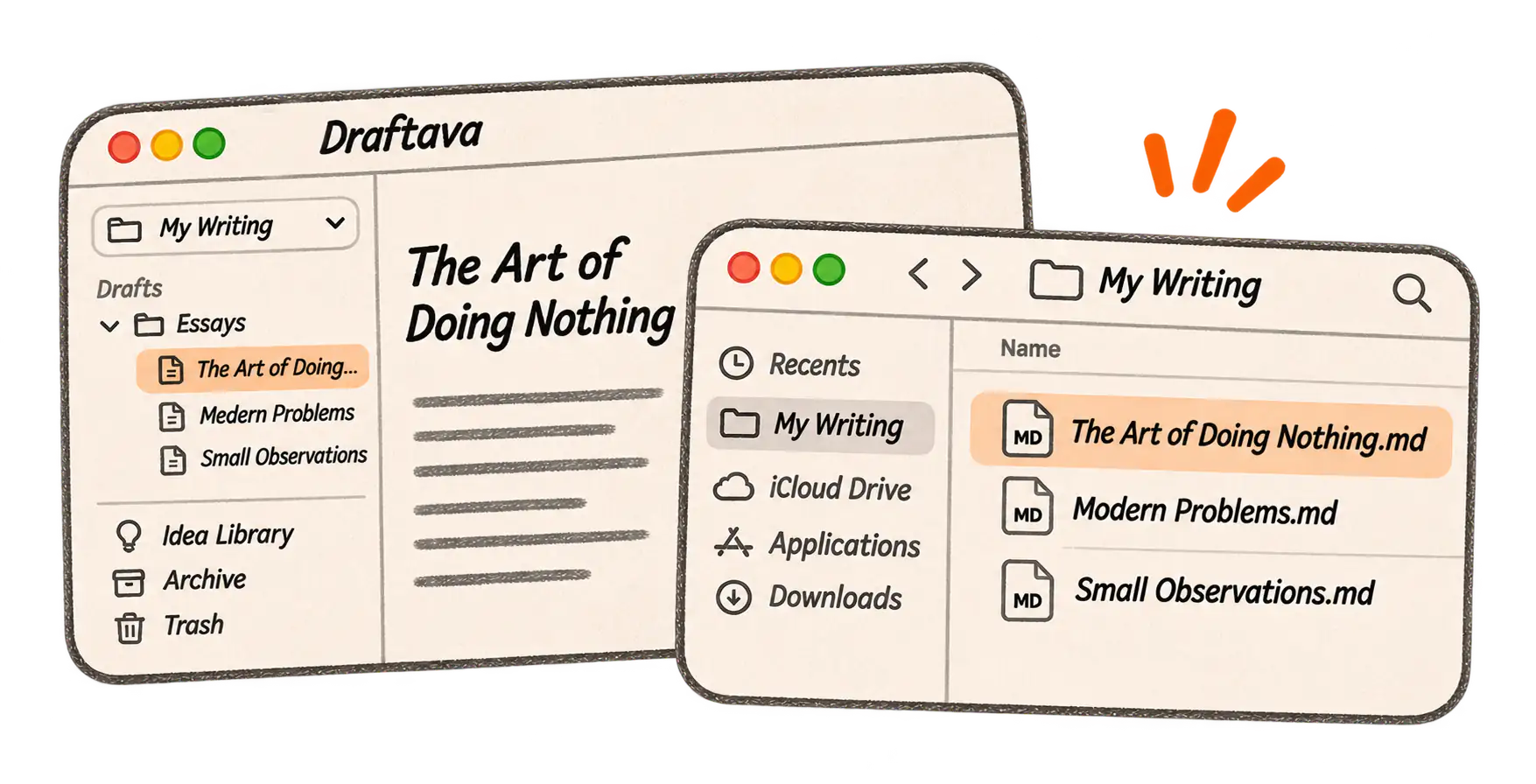
Draftava saves your writing as Markdown files in a folder you choose. Keep them on your Mac or in iCloud Drive. They're regular files you can open in other writing apps.
Organize your drafts into projects, find what you need with search, and look back at earlier versions when you change your mind.
Because sometimes the first version was better.
ENOUGH DOODLES. HERE'S THE APP.
OBSIDIAN COMPANION / FREE PLUGIN
Send selected text, Markdown notes, and images from Obsidian directly into Draftava as Ideas. One note or a whole batch. No copy-paste relay race.
Imported Ideas retain a Source link to the original Obsidian note or file, so you can get back to where they came from.
Explore Draftava Companion →Free macOS desktop plugin. Requires Obsidian 1.12+ and the Draftava app (sold separately). Not supported on Obsidian Mobile.
A writing app for all the sentences, links, images, and half-baked ideas that don't fit your draft yet.
Write on one side. Keep your ideas on the other. Drag them into your writing when they're ready.
Or leave them there. Nobody's checking.
You can.
Draftava is for when those scattered notes need to become actual writing.
Keep your scraps beside your draft instead of jumping between windows. Drag in what works. Save the rest for later.
A sentence, thought, link, or image you're not ready to use.
Keep it beside your draft or put it in your Idea Library.
When it finally belongs somewhere, drag it into your writing.
Yes. The free Draftava Companion plugin sends selected text, Markdown notes, and images from Obsidian into Draftava as Ideas.
It works with Obsidian 1.12 or later on macOS and requires the separate Draftava app. See the plugin on GitHub.
In Markdown files, in a folder you choose.
Keep them on your Mac or in iCloud Drive. They're ordinary files you can open with other writing apps.
Your writing doesn't belong to us.
Yes. Your $5 license allows up to three activations.
Want your writing on another Mac? Keep your project in iCloud Drive and open it there.
iCloud handles the file syncing. Draftava doesn't make you store your writing on our servers.
Then you stop using Draftava.
Your Markdown drafts stay in the folder you chose. Open them in another editor, move them somewhere else, or just leave them alone.
No hostage situation.
Any compatible Mac running macOS Sonoma (14) or later.
It's a Mac app. There's no iPhone or iPad version.
Pay once. No monthly subscription.
Updates are delivered through the app. We might charge for a major new version someday, but there's no recurring bill for the one you bought.
Not happy? Ask for your $5 back. Any reason.
“For the first time, my research and my argument are visible side by side. The absence of a meaningful relationship between them is now impossible to ignore.”
“Finally, an app that doesn't offer to write my novel with AI. How refreshing to retain full responsibility for the disaster.”
“I bought this to simplify my writing process. I now have a second place to store things I should have deleted.”
“The mechanical keyboard sounds give my work an air of tremendous importance. It's a pity the words don't.”
“My writing is stored in ordinary files that I own. A rather disturbing business model. How does the developer intend to hold me hostage?”
“The blank page remains blank regardless of how long I stare at it. I have contacted support.”
“I dragged an idea into my draft. It didn't belong there. I dragged it back. This went on for forty minutes. A remarkably accurate simulation of parliamentary democracy.”
“I used to lose brilliant ideas. Now I capture them instantly and discover, at my convenience, that they weren't brilliant.”
“I was promised a distraction-free writing environment. Unfortunately, I am still in it.”
“The ability to move a sentence without deleting it has saved my relationship with the English language.”
“I turned on the mechanical keyboard sounds. My colleagues now believe I'm working on something important. I shall not be correcting them.”
“A writing app that stores everything in ordinary files. No proprietary format, no monthly ransom. I find this lack of commercial ambition deeply suspicious.”
“I began writing an essay on free will.
Every argument led to a counterargument.
I saved each counterargument to the Idea Shelf.
Eventually, the shelf contained a more convincing essay than the one I was writing.
I moved the entire shelf into my draft.
I am now arguing against myself.
And losing.”
Your drafts, your ideas, and that ridiculously satisfying keyboard sound. All in one place.
Pay $5 once. No subscription.
Already bought it? Download again
Now finish something. Maybe.
You can have your $5 back.
Ask for a full refund. Any reason.
We reserve the right to ask why. No promises about hard feelings.